When money leaves, tap Add Expense: the amount, the category, what it was for, and which account it came from. The balance goes down, and the expense is in this month's profit under a category your accountant already knows.
Create your account Set-up guides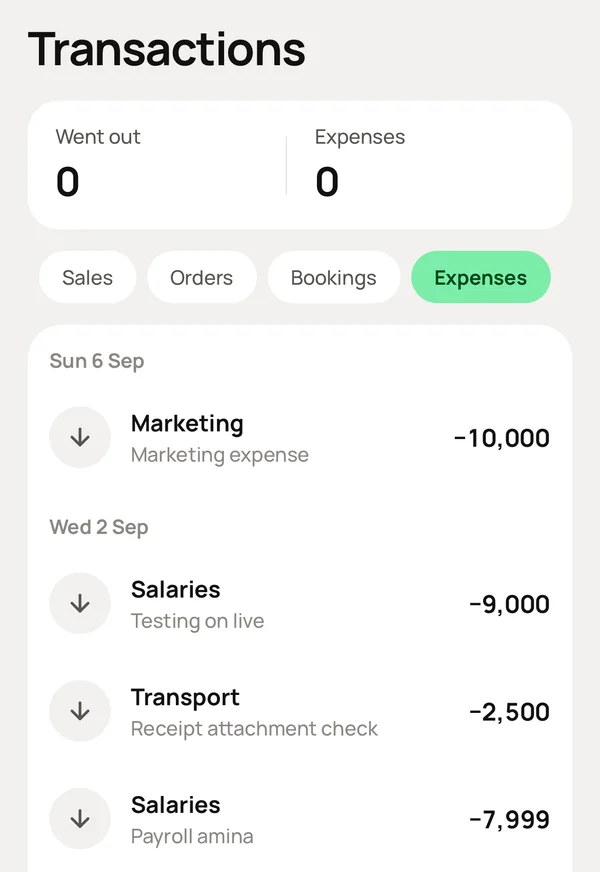
What you do, and what Meku does with it.
At the home page, tap Add Expense: the amount, the category, what it was for, and the account it came from. Take a photo of the receipt if you want. Save.
Reduces the account balance and puts the expense in this month's profit under its category.
Settings → Expense categories: switch off the ones you never use.
Keeps the same standard set for every business, such as rent, salaries, electricity and water, and transport, grouped the way an income statement is grouped. There is nothing to invent.
Reports → Expenses.
Shows where the money goes, by category, for any period. Transactions → Expenses has every expense, with its receipt.
No, and that is on purpose. The categories match an income statement, so an accountant can read your records directly. Your own words go in What it was for.
That is a purchase, not an expense. Record it under Inventory → Purchases, so the stock is added. Reports → Purchases counts it.
Simple to use. Works on the web, iPhone and Android.
